New York State Search
New York State E-Cards
Welcome to our New York State e-cards page. Use these New York City photographs to create free online e-cards. You can also send an Australian E-Card, New Zealand E-Card or a Washington E-Card. Send one of our New York e-cards for Christmas, as a get-well e-card, a birthday e-card, congratulations for you new baby e-card, greetings e-card, or just as a simple communication between friends.
Step 1: Choose a Photo
Please click the radio button corresponding to the picture of your choice.
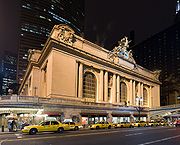 |
Grand Central Station |
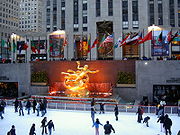 |
Rockefeller Center |
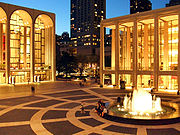 |
Lincoln Center Twilight | |
 |
Metropolitan Museum of Art
| |
 |
Times Square | |
 |
Yankee Stadium
| |
 |
Central Park
|
|
 |
New York City Subway
|
|
|
|
Statue of Liberty
|

Step 2: Name and E-Mail Information
In the boxes below, please enter your name and e-mail address and the recipient's name and e-mail address.
PLEASE BE CERTAIN OF RECIPIENT'S E-MAIL ADDRESS
| Your Name: | |
| Your E-Mail Address: | |
| Recipient's Name: | |
| Recipient's E-Mail Address: |
Step 3: Select your text and Background colours
Using the two selector pull-downs below, please select your text and background colours. The script will not check to see if you have both colours set the same, so if you want your
recipient to be able to read the card, please select two different colours!
| Text Colour | Background |
Step 4: Enter your Title & Message
In the box below, please enter your message. Please feel free to use HTML to express yourself!
|
Card Title: | |
|
Your Message: |
Step 5: Sign your Card
Please fill in below, how you would like to sign your card. Examples would be:
|
Step 6: Pick a Song!
Please make a selection or skip this step for no music.
Step 7: Proceed to preview or start over.
You are now ready to preview your card! To do so, just click on the PREVIEW button below. If you want to clear the form and start all over, select START-OVER. Your card will not be
sent until you press the SEND-CARD button on the preview screen.


